
01
Capture
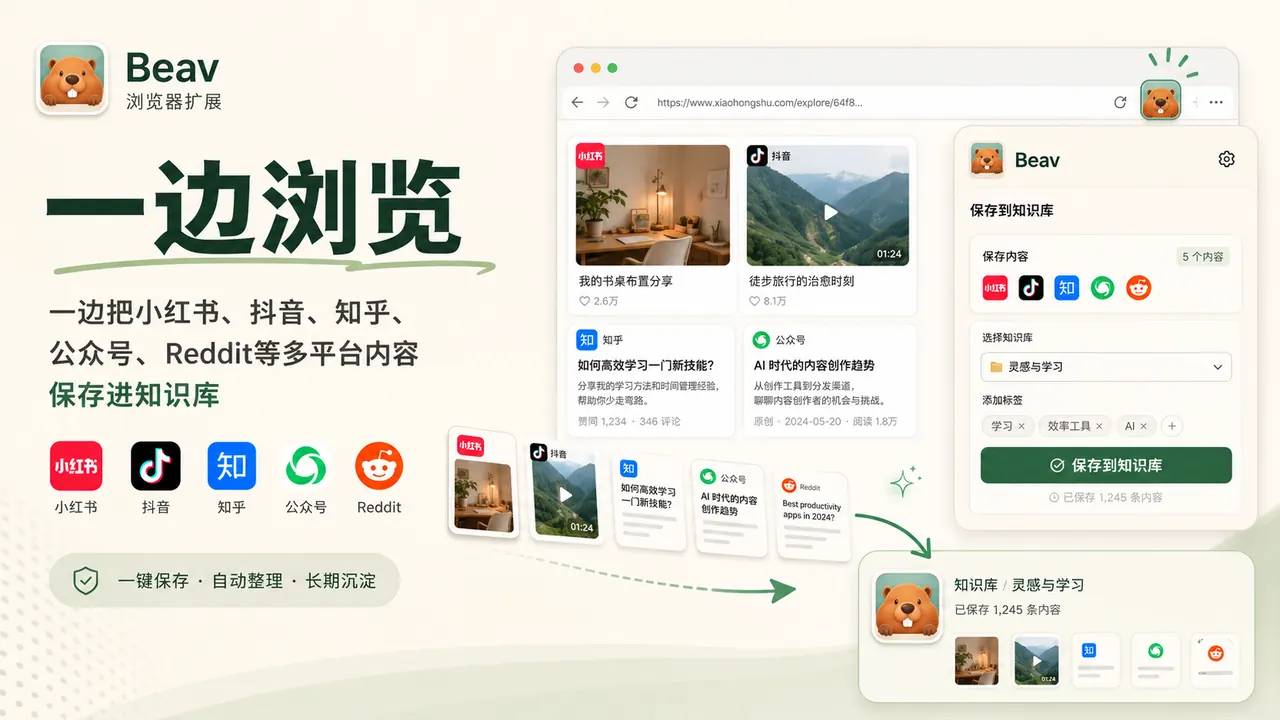
The browser extension saves web pages, images, comment sections, and selected text.
Web pagesImagesComments
Beav (formerly RedBox)
Beav helps creators save the material they find while browsing, grow it into a reusable knowledge base, and then generate topics, drafts, scripts, covers, and review posts from those assets. Beav is formerly RedBox: existing downloads, the GitHub repository, and local workspaces all continue to be maintained.
Creators building long-term asset and knowledge libraries
People running Xiaohongshu, WeChat, YouTube, Reddit, and web content at the same time
Teams that want browsing, saving, topic planning, drafting, and cover design in one desktop workspace
Partners
Brand partnerships, industry solutions, product integrations, and reseller programs
From browsing to creating
Instead of dumping content into a bookmark folder, Beav hooks capture, the knowledge base, and generation tasks into one creative pipeline.
The browser extension saves web pages, images, comment sections, and selected text.

Material lands in the local knowledge base with source, tags, topics, and reusable excerpts intact.

Topic briefs, drafts, scripts, covers, and review content generated from your assets.
Product capabilities
The browser extension saves scattered content first; the desktop app then organizes it into a knowledge base you can mine for topics, drafts, covers, video scripts, and reviews.
RedBox and Beav
RedBox focused early on putting capture, a knowledge base, AI chat, and content generation into one desktop tool. As Beav, the positioning is sharper: a local-first AI asset workspace built around creators' material, knowledge, topics, drafts, covers, and videos.
Original RedBox users keep their local workspaces, knowledge bases, asset libraries, and past projects.
The browser extension still captures Xiaohongshu, YouTube, web pages, images, comment sections, and selected text.
The download page, changelog, and GitHub repository keep providing installers, release notes, and open-source code.
Milestones
The timeline keeps only major versions and direction changes, tracing this open-source project from a capture tool to a local creative asset layer.
2025-05
RedBox began with browser capture, saving web pages, images, comment sections, and selected text, the starting point of the later knowledge base and content workspace.
2026-01
RedBox grew from a browser capture tool into a desktop workspace, bringing the asset library, knowledge base, AI chat, and content generation into one local-first app.
2026-03
RedBox strengthened knowledge-base imports, document upload, asset management, and agent execution, turning creation from one-shot generation into ongoing work around long-term assets.
2026-04
RedBox expanded web capture, plugin capture, background monitoring, and multi-platform messaging, making the path into the knowledge base steadier and letting agents handle longer content tasks.
2026-05
RedBox 2.0 strung account positioning, persona cloning, material understanding, image-text generation, video generation, auto captions, edit analysis, and continuous agent execution into one complete creative pipeline.
2026-06
RedBox gained control of real logged-in Chrome pages and kept refining the creator workflow around comment insights, cover generation, media assets, and task briefs.
2026-06-25
From 2.5.0, RedBox / RedConvert is officially Beav, with the ACP Agent Gateway released so external agents can connect directly to the local creation resource layer.
FAQ
RedBox has officially become Beav. The desktop app, browser extension, GitHub repository, download page, and changelog all continue under the Beav name.
Yes. Existing users keep their local workspace, knowledge base, asset library, and browser extension. Newer versions adopt the Beav brand progressively.
Yes. Beav is RedBox's new name, now positioned as a local-first AI workspace for creator content and assets.